

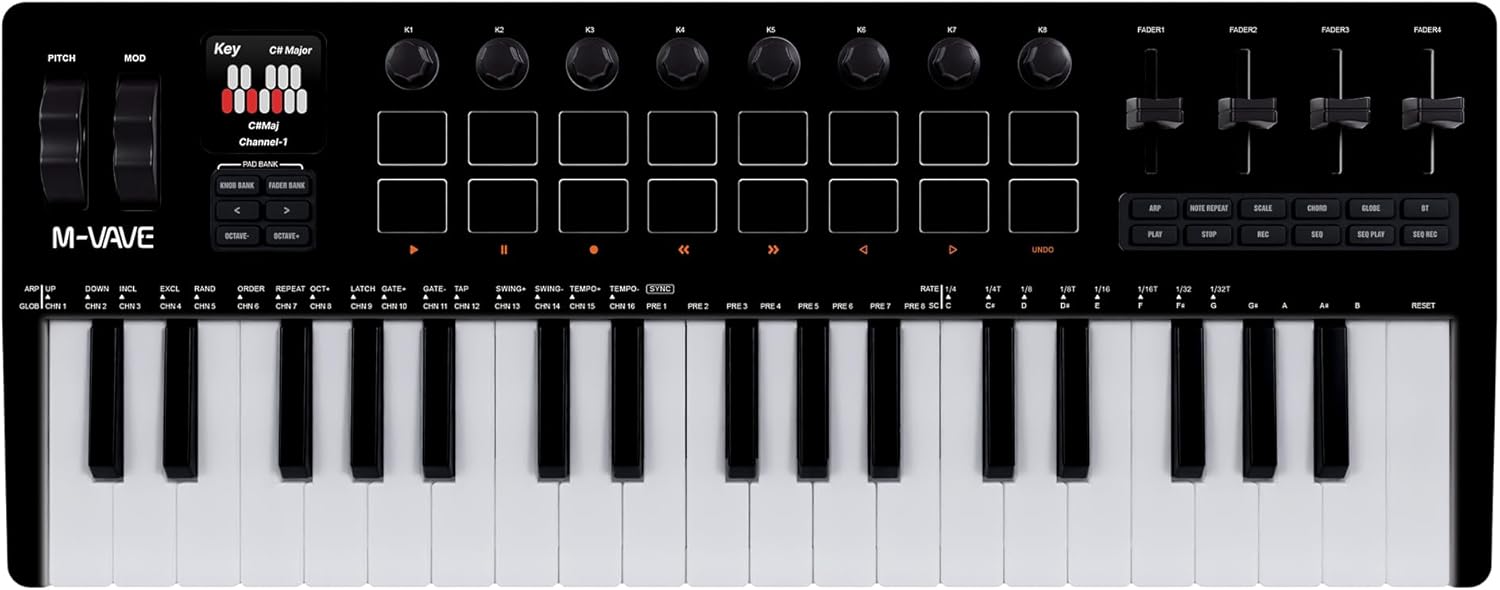
M VAVE 37 Key MIDI Keyboard with 16 Backlit Drum Pad, 8 Knobs, DAW Integration and Arpeggiator,Music Production Equipment and Studio Controller,Software Included(SMK-37 Pro-Black)
【Portable MIDI Keyboard】Portable yet robust,Device can be wirelessly connected via Bluetooth,you can easi
-
Detail
M-VAVE SMK-37 Pro Bluetooth Semi Weighted Professional dynamic keybed
Back of Device:
Audio Output: 3.5mm audio output jack.
MlDl Out Port: Use a 3.5mm to MlDl adapter to connect to an external device that support MlDl in.
Power: Switch to turn on/off the midi keyboard;
USB: USB-C Connection port;
Sustain: 1/4 inch sustain pedal connection port;
High pitch Wheel and Modulation Wheel
High pitch Wheel: Scroll the pitch stripe up and down to control the pitch bend, the center position is theoriginal pitch of the sound, lift the finger up will release the sound to the original pitch;
Modulation Wheel: Scroll the modulation Wheel send continuous Midi CC message,
Note: (You can assign the Modulation stripe use the Midi Learn function of Daw)
Display area: The display area provides visual feedback for various device settings and modes
Button Area:
Knob Bank: Press this button to switch control to knobs 9-16.
Fader Bank: Press this button to switch control to faders 5-8.
Pad Bank: Press both Knob Bank and Fader Bank buttons simultaneously to switch control to pads9-16.
Left Button: Sends custom MlDl messages or accesses specific functions described on the next page
Right Button: Sends custom MlDl messages or accesses specific functions described on the last page
Knobs: Eight assignable 360-degree rotary encoders. These knobs can send Aftertouch, MlDlCC,or pitch information, confiqurable through the MlDl SUITE software. PadsSixteen RGB back-lit pads with velocity-sensitive & aftertouch;
Faders: Four assignable faders that can be used to control various parameters in your DAW ordevice software, such as volume, pan, or MlDl CC values.
Button Area 2:
ARP :Press the ARP button to enable the Arpeggiator function. The Arpeggiator automatically plays asequence of notes based on the keys you hold. To adjust the arpeggiator parameters, press and holdthe ARP button while rotating a knob. Alternatively, press and hold the ARP button while pressingspecific keys to change the arpeggiator settings.
Package includes:
1 * SMK-37 Pro MIDI keyboard
1 * USB connection cable
1 * User Guide -
Customer ReviewsNo comments